Create your workspace
Make the workspace everything you publish will belong to, and give it a name, a type, a country of registration and a location people recognise.
Everything you publish belongs to a workspace rather than to you personally, so that you can later add colleagues without moving anything. Your login is a person; a workspace is the thing that owns listings, holds a balance and appears on a public profile.
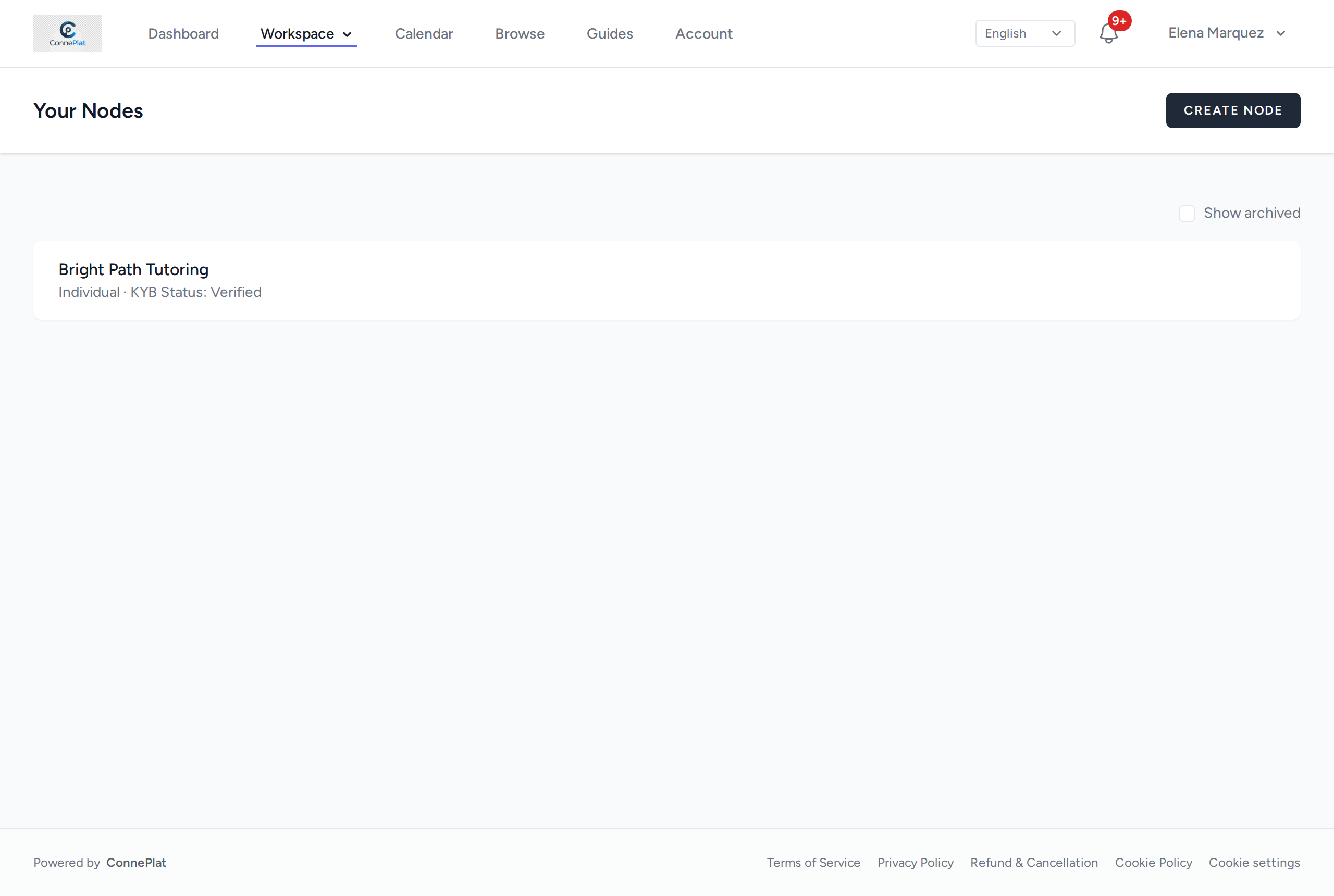
You can own more than one. They are listed under Workspace in the top menu.
Create it
- Open Workspace in the top menu.
- Choose the create button — the one at the top right of the list.
- Fill in the form below and save.
The fields, and which ones matter
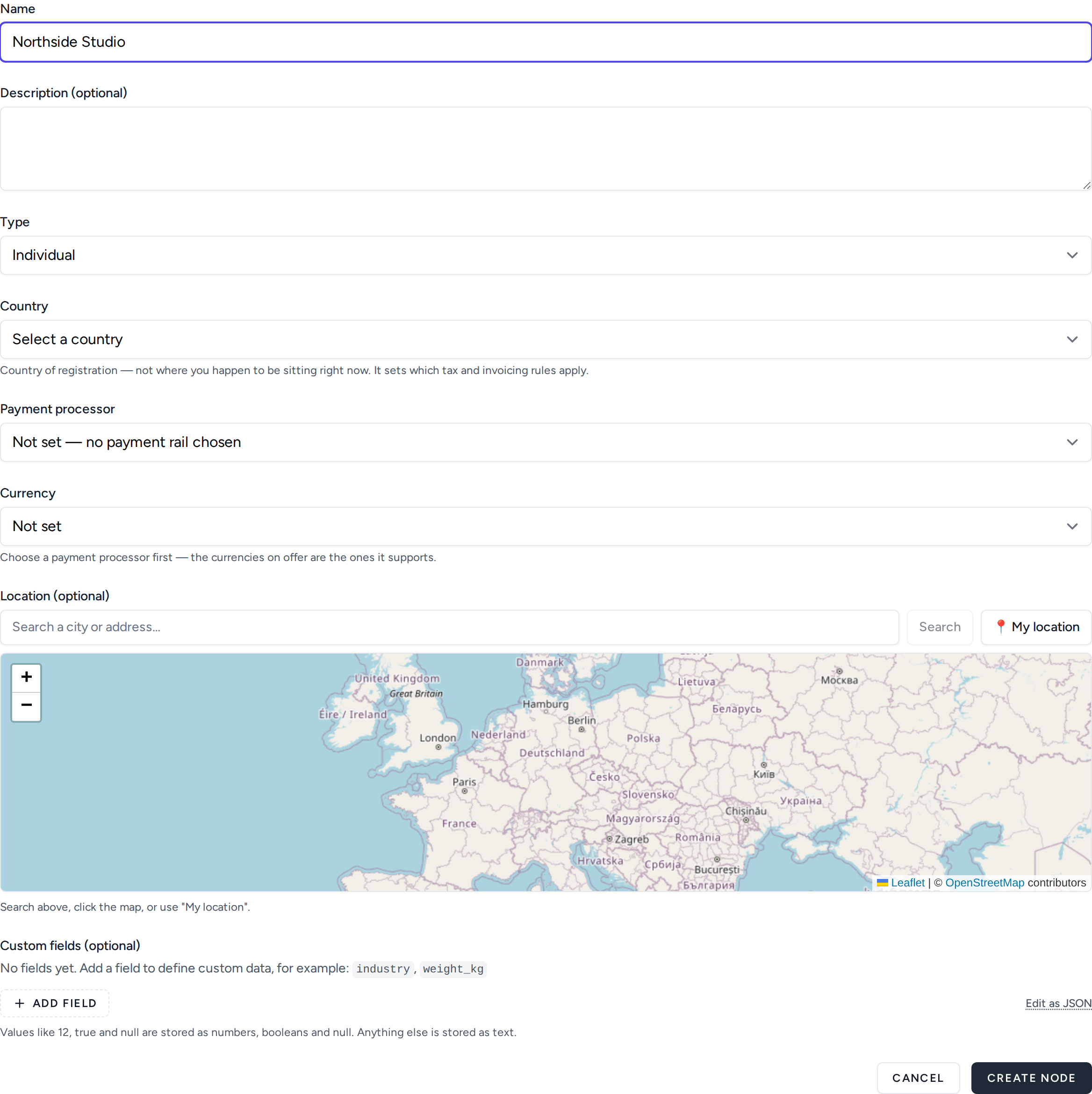
Name is the only one you cannot skip, and it is the one people see. Use the name you are already known by rather than a legal entity name nobody would search for. You can change it later, and doing so does not change the address of your public profile — so renaming never breaks a link you have already shared.
Description is optional and is shown on your public profile. A sentence is enough; it is not a marketing page.
Type is Individual or Company, and it drives the verification you will be asked for later rather than anything cosmetic. Choose the one that matches who will actually be paid. If you are a sole trader, that is Individual even if you trade under a business name.
Country is required, and it is the country the organisation is registered in — not the country you happen to be sitting in while you fill the form. It decides which tax and invoicing rules apply to what this workspace does, which is why you are asked once, explicitly, instead of it being inferred from anything. If you operate in two countries, that is two workspaces, each with its own country.
It is not the same question as the location further down, and answering one does not answer the other: the country is a legal fact about the organisation, while the location is a hint for people browsing. Older workspaces have no country recorded, because the field did not exist when they were made and nobody was ever asked — so the first time you edit one, it will ask for a country before it will save. That is the question being put once, not a fault.
Payment processor and Currency decide how money reaches you, and they are set per workspace, not per account — two workspaces can be paid through different providers in different currencies. Leave them alone if you are only browsing; you will be asked for them before you can take a payment, and the guides on payments cover the choice properly.
About the location
The location is explicit and under your control. It answers "what is near me?" for people browsing, so:
- Set it if you meet people in person, or if distance matters to whoever is booking.
- Leave it empty if everything you do is remote. An empty location is not a penalty — it keeps you out of distance-based results, which is the correct answer when distance is irrelevant.
Search for a city, click the map, or use My location. It is never inferred from your IP address, so travelling does not quietly move your workspace to another country and a VPN does not move it either.
None of this is what Country asks. The location says where you can be found; the country says where the organisation is registered. A workspace can perfectly well have a country and no location at all — that is the ordinary case for anyone working entirely remotely.
Custom fields
Ignore these to begin with. They store structured data specific to what you do —
industry, weight_kg, room_capacity — and become useful once you know which
facts buyers keep asking you for. Values that look like numbers, true or
null are stored as such; everything else is stored as text.
When you are done
You have somewhere to publish to. The next step is putting something in it.