Colleagues and what each role can do
Add someone to a workspace, choose between Owner, Admin and Member, and hand a workspace over without stranding it.
A workspace can have more than one person on it. That is the point of keeping it separate from your login — nothing has to be handed over, and nobody shares a password.
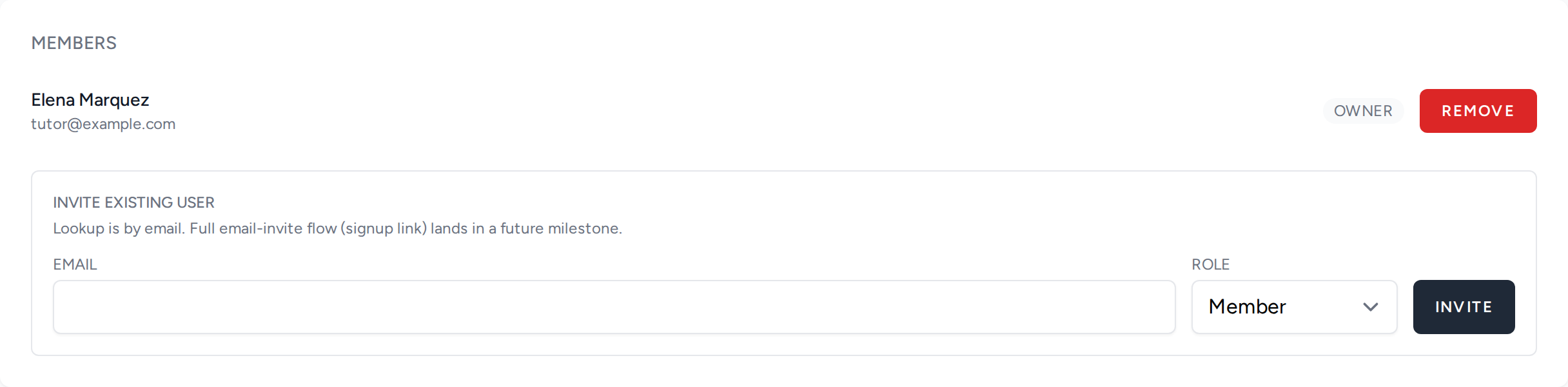
Add someone by their email address. They need an account already; the invite attaches them to the workspace rather than creating anything for them.
The three roles
From most to least:
- Owner — everything, including changing the workspace itself, its payment setup, and who else is on it.
- Admin — the day-to-day work: publishing, editing and running deals. Cannot give the workspace away or remove other people.
- Member — the narrowest. Useful for someone who needs to see what is happening without being able to change it.
If in doubt, add people as Member and raise them when they turn out to need more. Removing capability later is more awkward than granting it.
Handing a workspace over
You cannot remove the last owner. The action is refused rather than left to produce a workspace nobody can administer — which would be unrecoverable without an operator's help. To hand a workspace over, add the new owner first, then remove yourself.
If a colleague cannot see something
Almost always the role. A Member who cannot edit a listing is not a bug; check what they were added as before assuming anything is broken. The members list shows each person's role next to their name.