Post a listing
The Share dialog, the preview generated from the listing itself, and the manual row that reaches channels you have not connected.
Open one of your own listings and choose Share. You only see that button on listings you own.
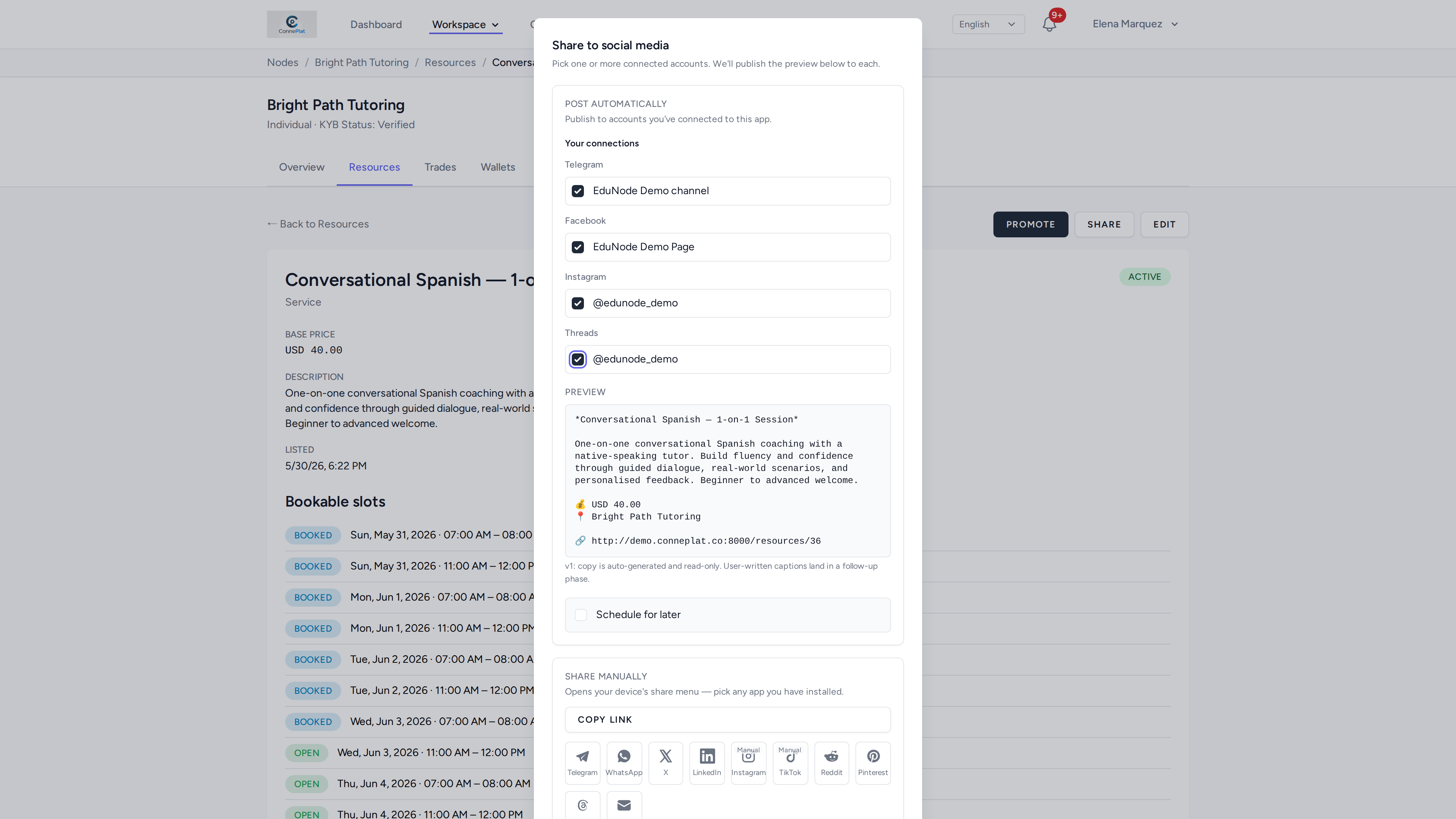
Tick the channels you want and confirm. Three things in this dialog are worth knowing about:
The preview is generated from the listing. Title, description, price, workspace and a link, assembled for you. It is read-only in this version, so the way to change the post is to edit the listing — which also means the post cannot drift out of step with what you are actually selling.
Each channel is listed under its platform, so an account connected twice (two Telegram channels, say) appears twice and you choose per destination rather than per platform.
Share manually is always there. The bottom row copies the link or opens your device's own share menu, which reaches any app you have installed — useful for channels you have not connected, or do not want to. Platforms that cannot accept an automated post from us at all are marked Manual there.