Check how it looks to a stranger
View your listing signed out — the only view that matters is the one a first-time visitor and a search engine get.
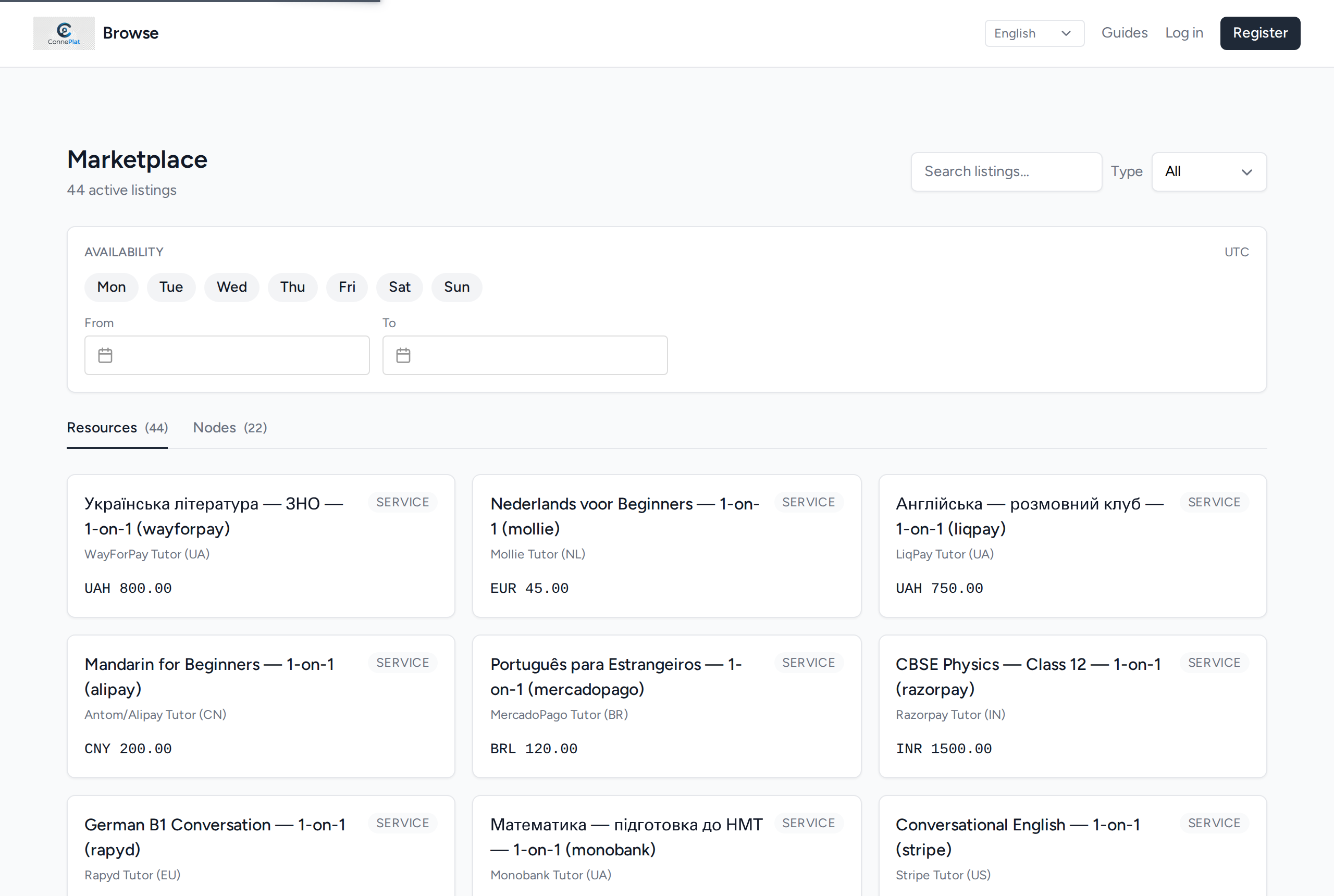
Open Browse while signed out, or in a private window. This is the view that matters: it is what a search engine and a first-time visitor see.
Why signed out, specifically
Signed in, you are looking at your own listing as its owner. That view shows you things nobody else gets — edit controls, draft state, your own contact details already filled in — and hides the one thing that matters most, which is whether a stranger can actually act on what they are looking at.
It is worth doing once, properly, rather than assuming. A private window is the fastest way; signing out and back in works just as well.
What to look for
- Is the title readable on its own, out of context, next to other listings? On the directory it appears without your description underneath it.
- Does the image load, and is it the one you meant? The first image is the one that shows here.
- Is the price there, and is it the number and the currency you intended?
- Does it appear at all? Use the search box with the words a buyer would type. If your own listing does not come back, neither will it for them.
- Can a visitor act? The booking path is the whole point of the page.
Two tabs, not one
The directory lists listings and workspaces separately. People find you both ways, so it is worth checking the workspace tab too: that entry is built from your workspace name, description and location rather than from any listing, and it is often the first thing a returning buyer looks for.
If something is missing
Go back to your workspace's listings, open the listing and edit it. Changes are live immediately — there is no separate publish step to remember once a listing is active.
If the listing does not appear in the directory at all, check that it is active rather than archived: an archived listing keeps its page but leaves the directory.